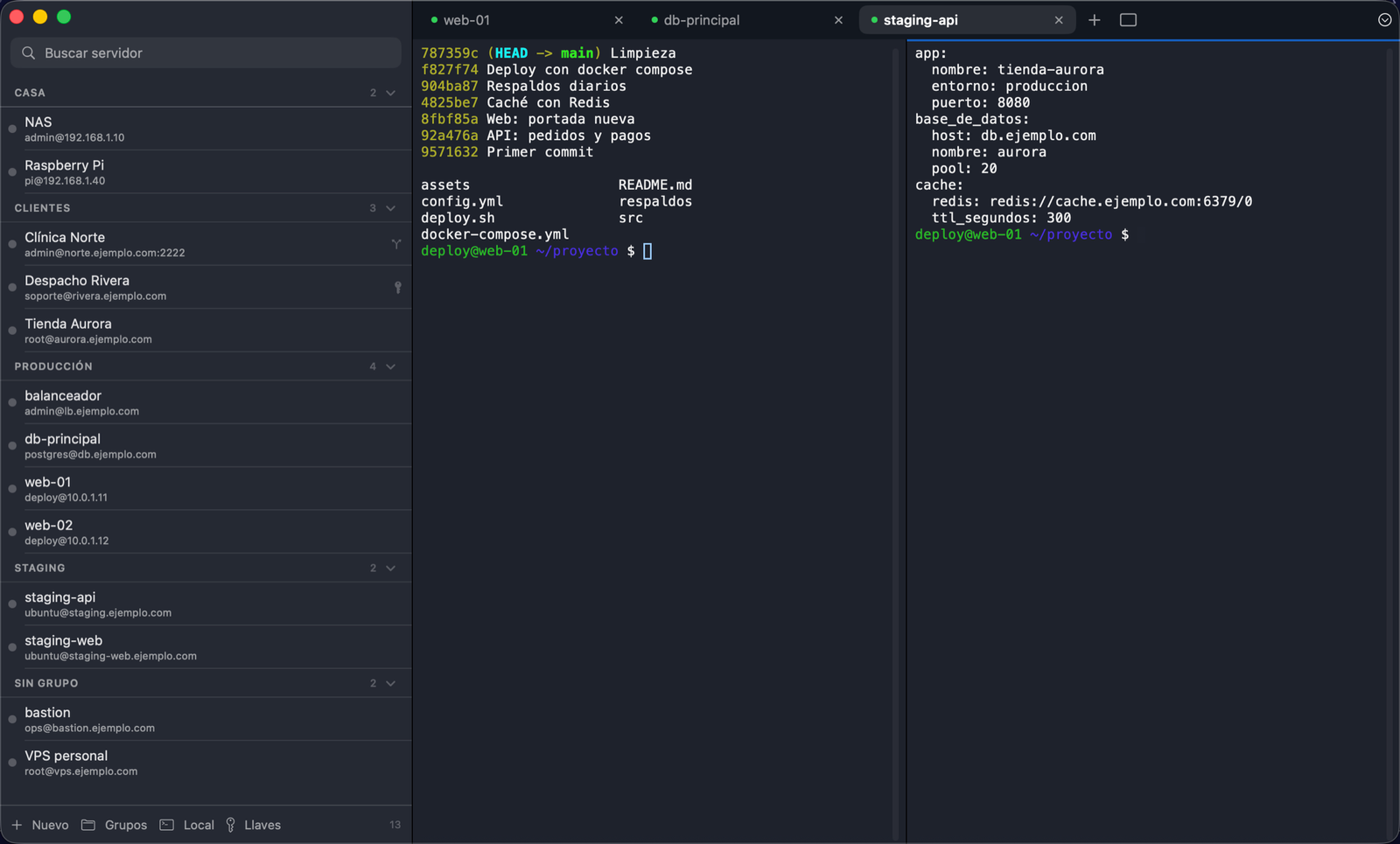
ShellDock keeps your connections in a library sorted by groups, opens each server
in a tab that splits in two when you need it, and moves files between your Mac and your servers
in a dual-pane SFTP. It uses the good old ssh and keeps your secrets in the Keychain.
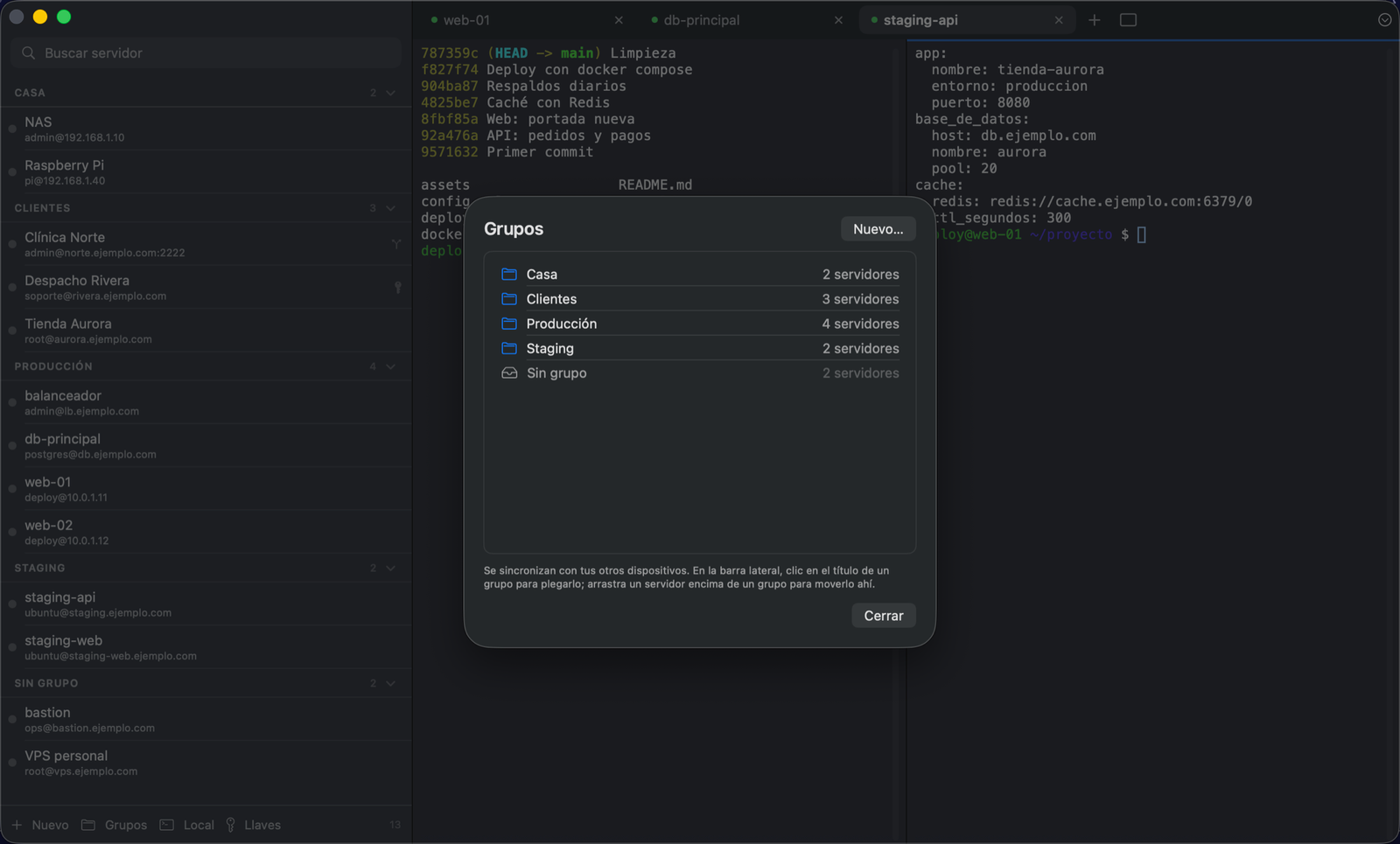
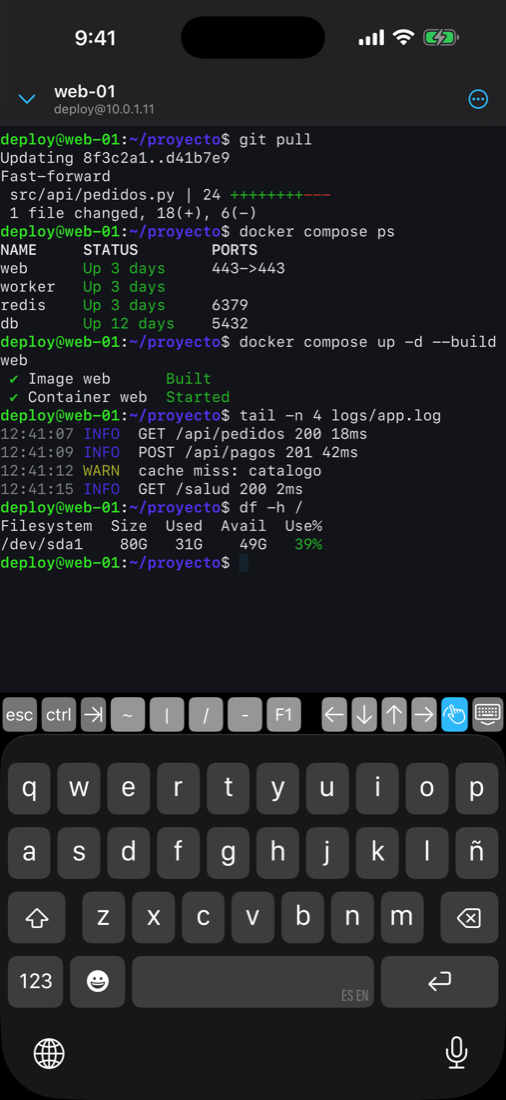
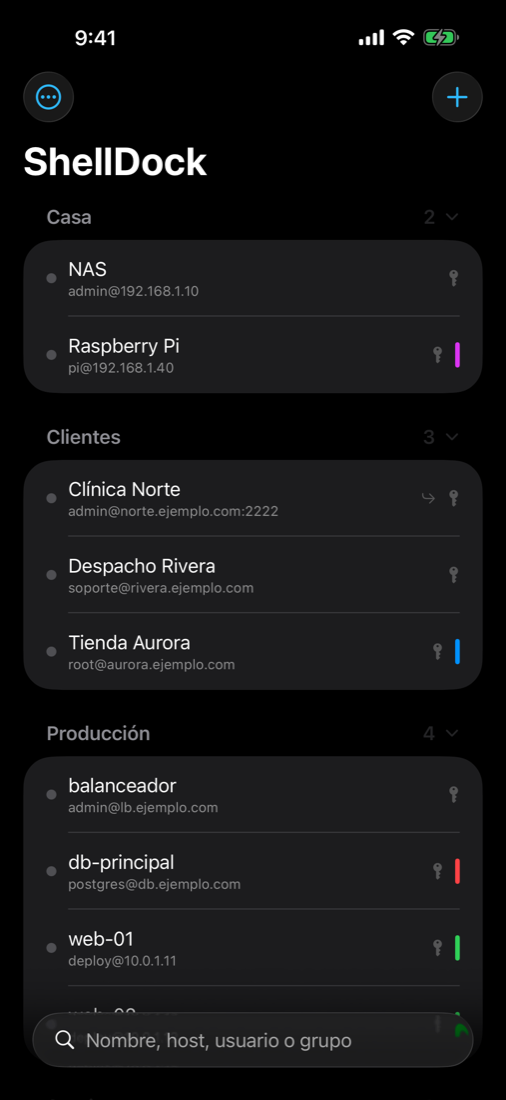
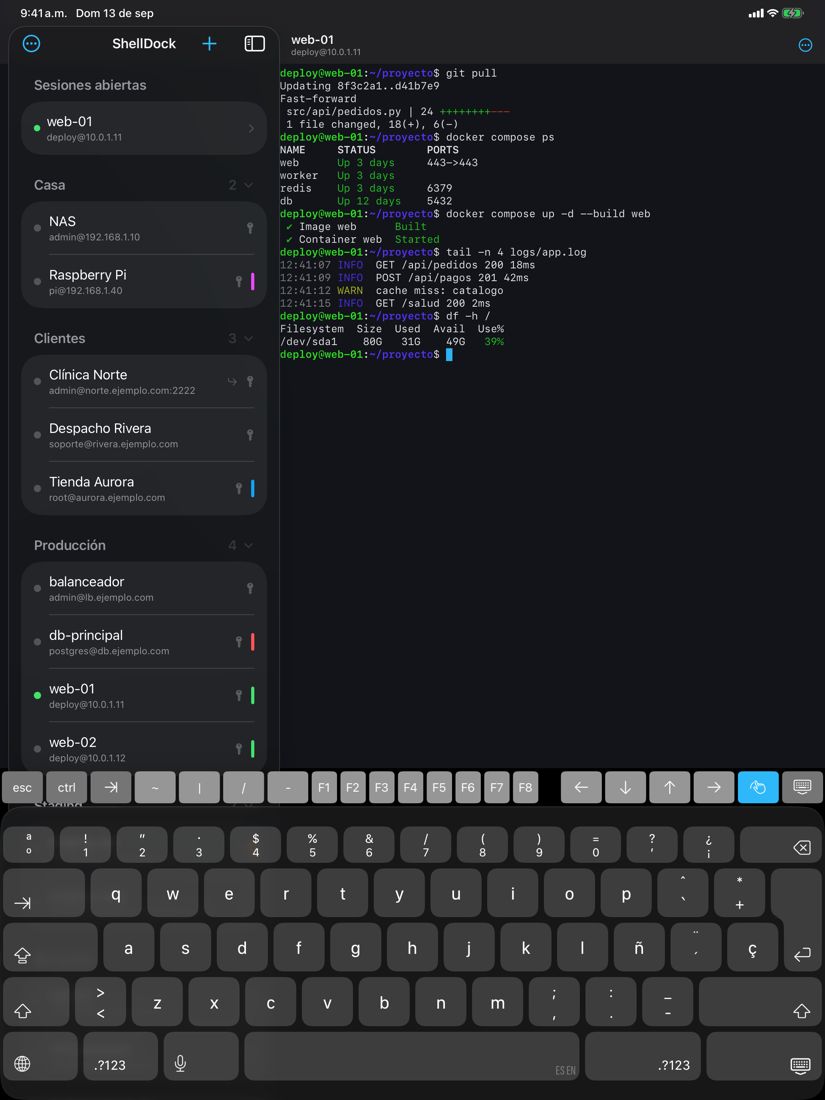
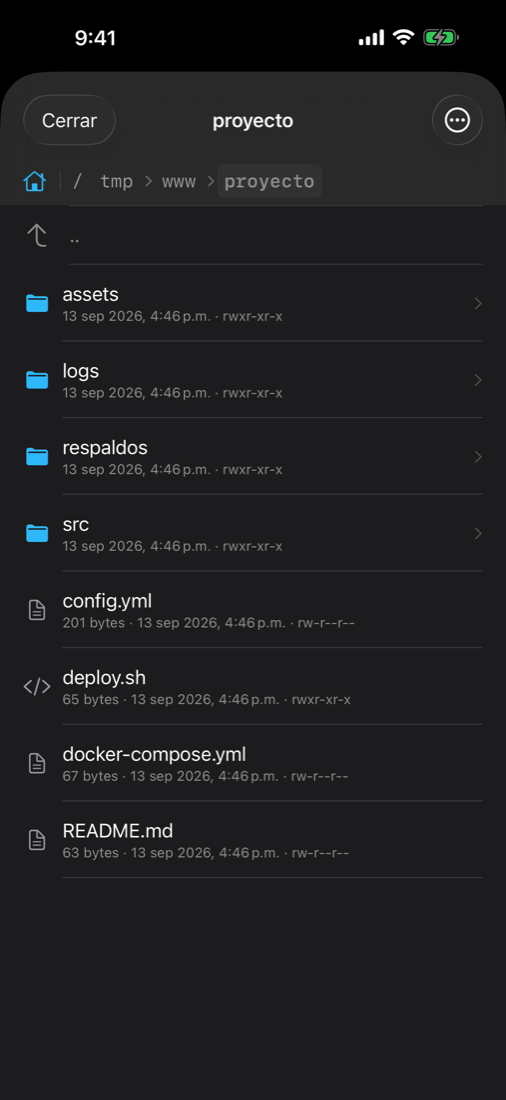
Actual screenshot of the app, with sample servers and terminal output.
Not a generic terminal with a list bolted on: the library, keys, tabs and files are designed to jump from one server to another without losing your train of thought.
Collapsible groups, a color per server, notes and a command that runs on connect. A dot tells you when you last got in and whether the last attempt failed.
It uses ssh and sftp from macOS, so it respects your
~/.ssh/config and your ProxyJump hops. Import that configuration in one click and
open any session in Terminal, iTerm2 or Ghostty.
With the license, servers, groups and key details travel through iCloud across your Macs, iPhone and iPad. Passwords, private keys and passphrases go separately, through iCloud Keychain.
If the app crashes, reopening it brings back your tabs and the folders you were in. With ⌘Q you quit cleanly and start fresh.
⌘P generates a password with the length and symbols you chose in Settings and leaves it on the clipboard, ready to paste.
Everything has a key combination, and you can change them in Settings. Tabs are one keystroke away with ⌘1…⌘9.
Each app on its own, freshly opened, with the same 3 terminals on the same Mac. ShellDock is native; Termius runs on Electron, a full browser under the hood.
ShellDock 1.2 and Termius 9.42.2 on a 16 GB MacBook Air M5 running macOS 26.6. Each app on its own, freshly opened, with 3 local terminals and 60 s idle; median of 3 rounds. Memory: physical footprint of all the app's processes, as shown in Activity Monitor. Termius is a trademark of its owner.
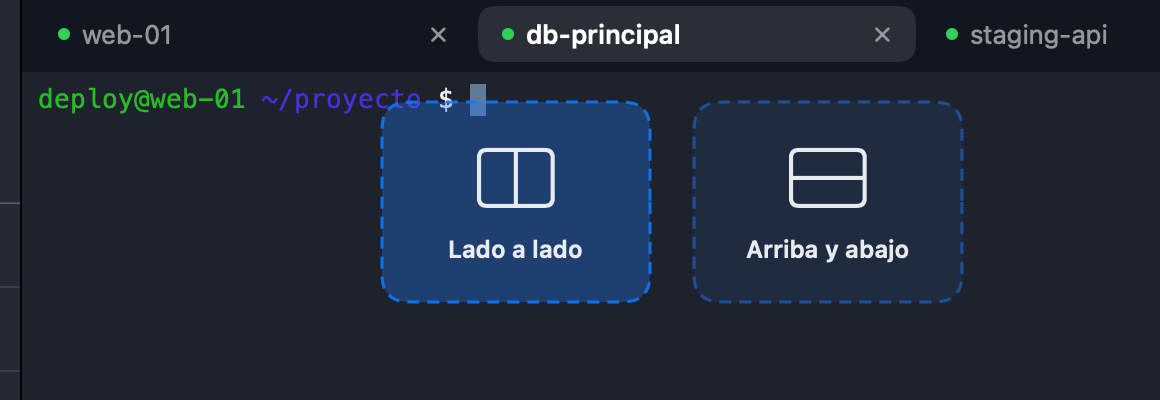
When you drag a tab, two boxes appear right below it: Side by side or Top and bottom. Drop it on one and you have two terminals in view, the one you were looking at and the one you dragged.


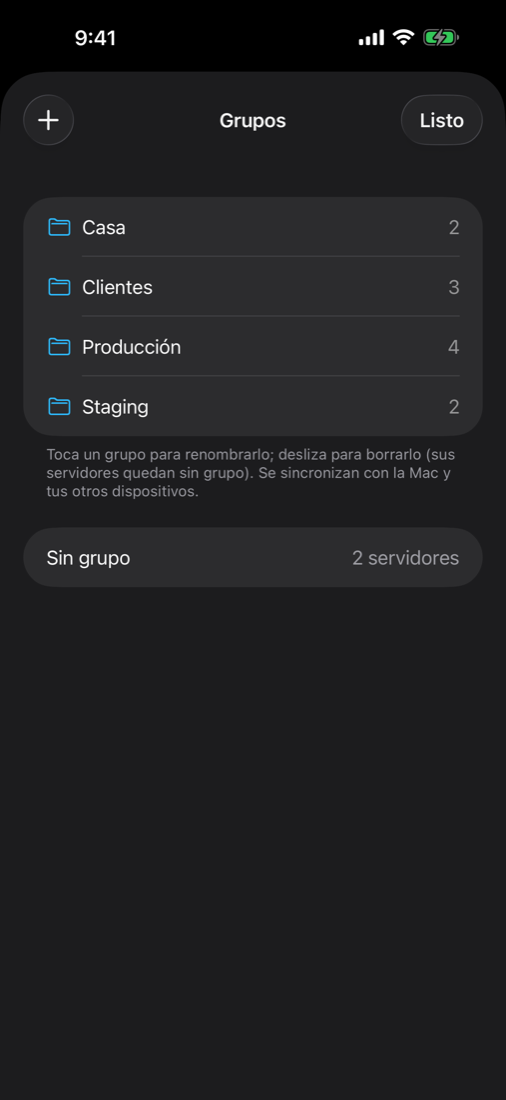
Groups are in alphabetical order, and so are the servers inside each one. A click on the title collapses the group you're not using, and the app remembers how you left it.

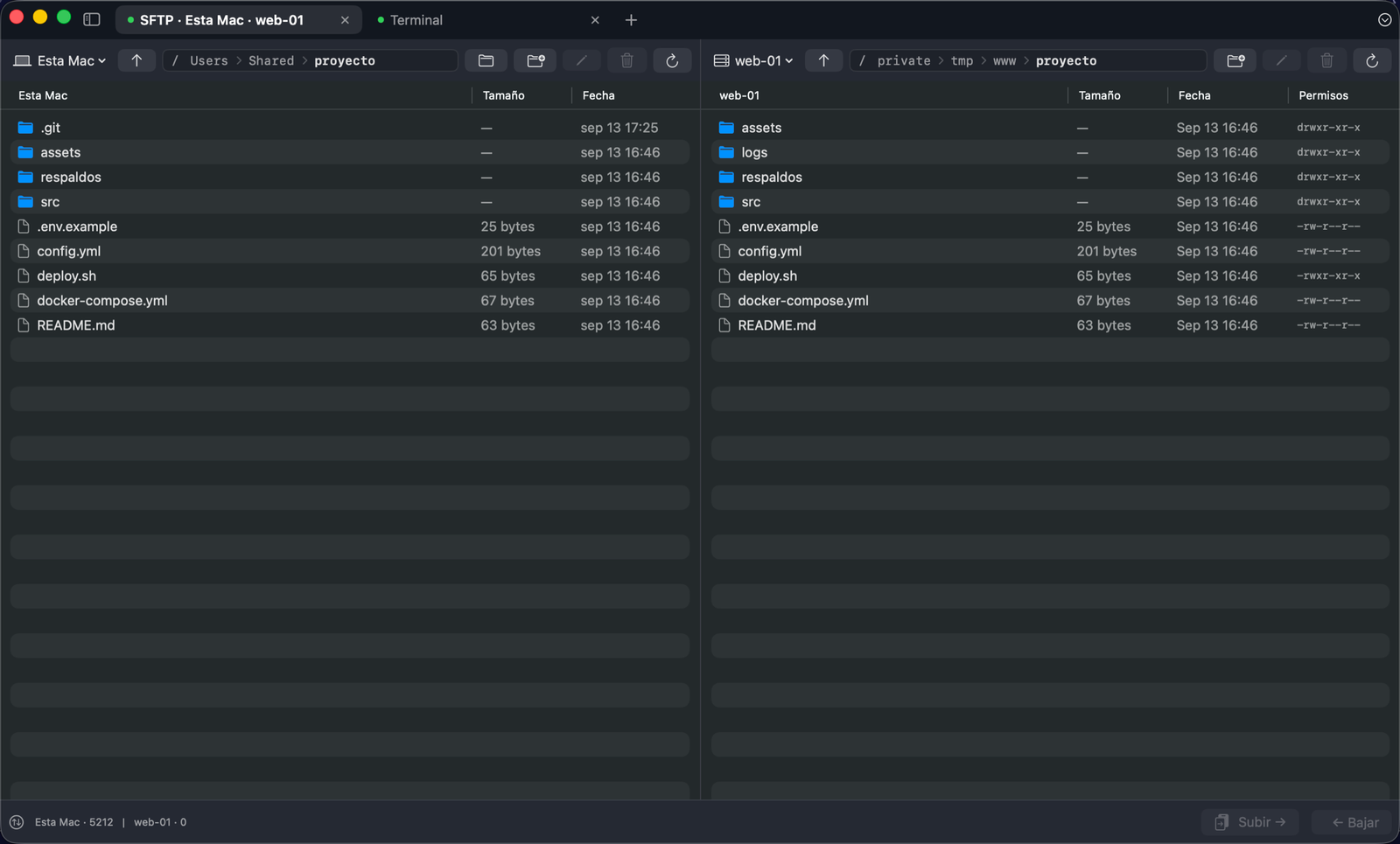
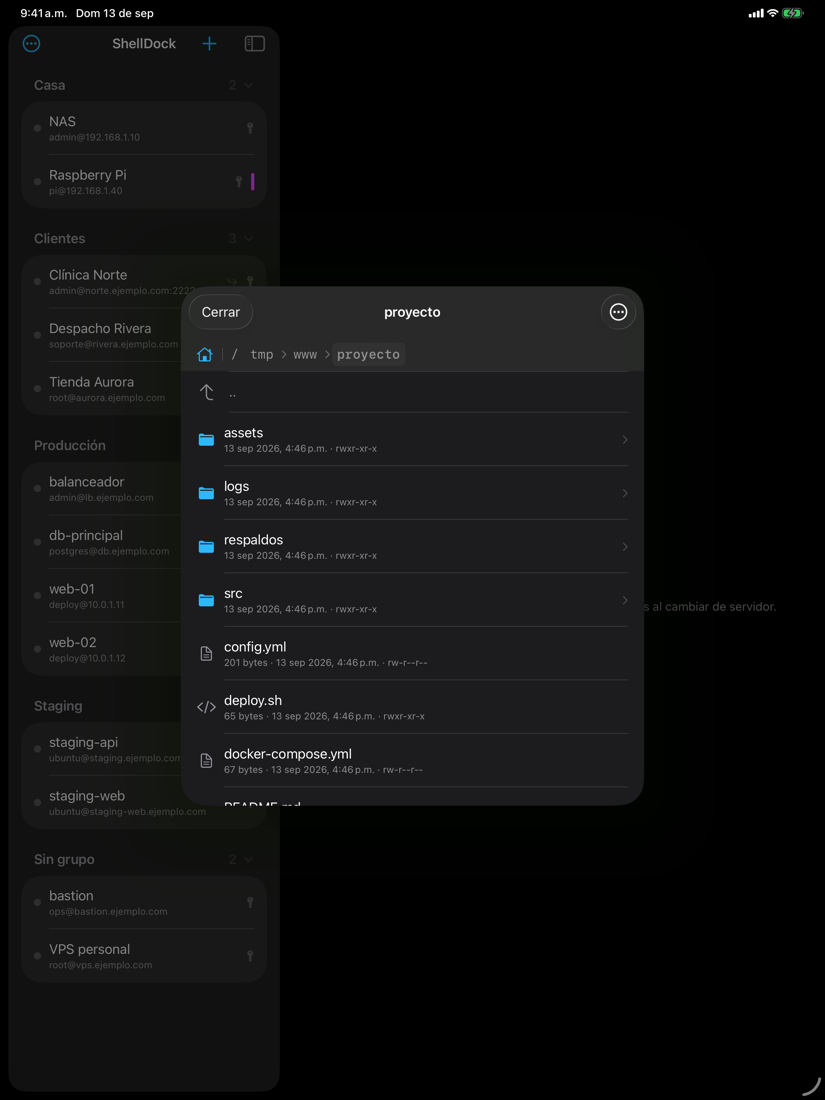
Two panes in the same tab: this Mac and a server, or two servers. Drag files or entire folders from one side to the other and watch each one's progress.

Import or generate a key once and assign it to as many servers as you like. When it changes, it changes for all of them.
Each server points to the key in the library. One key, many servers, and you can see who uses each one.
Drag in a .pem or an id_rsa, look for them in ~/.ssh or generate a new ed25519 or RSA 4096 right there.
Passwords, private keys and passphrases live in iCloud Keychain, not in the library. To connect, ssh uses a local copy of the key with 0600 permissions.
If your key is encrypted, you save its passphrase and ShellDock hands it to ssh whenever it asks. You don't type it again.
Copy the line for authorized_keys from the key manager, with its fingerprint and type in plain sight.
Built in Swift with AppKit and SwiftUI. It launches fast, looks like a Mac app and doesn't carry a hidden browser.
The iPhone and iPad app is already in App Store review. It's free to connect, with an SSH terminal and SFTP, and with the same license as the Mac your server library shows up on its own: whatever you add on one device appears on the other without typing it twice.
Coming to the App Store very soon. If you want us to let you know, write to us.


These come out of the box. Almost all of them can be changed in Settings.
A Mac with Apple Silicon and macOS 14 or later. To sync the library across your Macs, the same iCloud account on all of them.
Connecting to your servers costs nothing. The license is for working across your Mac, iPhone and iPad without re-entering anything, and you pay once: no subscription.
ShellDock is free forever: SSH terminal, unlimited servers, keys, groups and one SFTP session at a time. The license costs 14.99 USD, once, and adds syncing across Mac, iPhone and iPad, split screen and several SFTP sessions at once. For the first 14 days you get everything without paying.
No: ShellDock is a native Mac app, written in Swift, with no Electron and no hidden browser. On the same Mac, with 3 terminals open, ShellDock uses 115 MB of memory and Termius 1256 MB. Less memory means less battery drain and less fan noise.
One license works on up to 3 of your Macs and 5 of your iPhones or iPads. On iPhone and iPad you don't even type the key: it arrives on its own through iCloud Keychain. If you switch devices, release the old one from Settings › License.
A Mac with Apple Silicon and macOS 14 (Sonoma) or later. The app is signed with an Apple Developer ID.
No. It's built in Swift with AppKit and SwiftUI, and it connects using the
ssh and sftp programs that come with macOS.
Yes. Since ShellDock uses the system's ssh , your aliases, hops and options keep
working, and you can import that configuration into the library from the Server menu.
In iCloud Keychain, separate from the server library. To connect, ssh
needs the private key in a file, so ShellDock keeps a local copy with 0600 permissions
that only your user can read.
When you reopen it, it brings back your tabs and the folders you were in. If you quit with ⌘Q, the session closes cleanly and next time it starts fresh.
Yes, it's coming to the App Store very soon and shares the server library and Keychain with the Mac: whatever you add on one shows up on the other. And it's the same license: if you already bought it, you don't pay again.
The library, the keys, the terminal and the files, in a single app made for your Mac.
Made with the same care: native, fast and without weird subscriptions.
Screenshots with real retouching: remove objects, clean up dust, annotate and share by link.
shotdock.app ↗
Read and write ext4 and NTFS drives on your Mac, with no kernel extensions and no password prompts every other minute.
omnimount.es ↗
The dual-pane file manager for macOS: instant preview, a copy queue with real progress and built-in SFTP.
superfinder.es ↗